Setting up a home PC involves more than just choosing the right computer or monitor. A seamless and efficient PC experience depends significantly on the cables you use. Without the correct ones, even the most expensive setup can fail to deliver its true potential. This guide will walk you through several cables worth having when you have a PC at home and why they matter so much for optimal performance.
The Indispensable HDMI Cable
Every PC user should have at least one HDMI cable in their setup. HDMI cables are critical for connecting your computer to monitors, TVs, or other display devices. Offering high-definition video and audio transmission, HDMI cables ensure you get crystal-clear visuals and sound.
For anyone working with multiple monitors or using their PC for entertainment, having a high-quality HDMI cable is an absolute must. Modern HDMI versions, such as HDMI 2.1, support advanced video features like 4K and 120Hz frame rates, making them ideal for gaming or professional video editing. Additionally, HDMI cables are often overlooked, but having spares ready prevents delays if your primary one gets damaged or lost.
USB Cables for Versatility and Connectivity
USB cables are the lifeblood of any PC setup, and having different types ensures you can connect a wide array of peripherals and devices. USB-A to USB-B cables are incredibly common, perfect for hooking up printers or external drives. Micro-USB cables, while slightly outdated, are still useful for older devices like certain headsets or external hardware.
In contrast, USB-C cables are rapidly becoming the dominant standard. Their versatility enables charging, data transfer, and video output. Whether you need to power your external monitor or connect a new peripheral, equipping your PC area with multiple types of USB cables maximizes flexibility.
Stable Connections With Ethernet Cables
While Wi-Fi is convenient, it often fails to deliver the stability and speed required by activities like online gaming, video conferencing, and large file downloads. Ethernet cables solve this problem by providing a direct, stable connection to the internet.
For desktop PC users, an Ethernet cable is often the best option for staying connected without interruptions. With categories, such as Cat6 or Cat7 Ethernet cables, you can achieve gigabit speeds that provide exceptional performance across all your online tasks. Having these often-overlooked computer cables on hand is also a lifesaver if your wireless connection breaks down unexpectedly.
Don’t Overlook Power Cables
Power cables might seem like the most ordinary part of your collection, but they are absolutely essential. Without a reliable power cable, your entire PC setup is effectively useless. However, what many forget is the importance of having spares.
Accidents happen, and power cables can burn out, degrade, or get misplaced. Keeping extras specifically designed for your PC and monitor ensures you’re never caught off guard. High-quality power cables also enhance safety and longevity for your devices by delivering stable power without risking surges or faults.
The Value of Audio Cables
Whether you’re an audiophile or a casual user, reliable audio cables are a must-have. Standard 3.5mm audio cables are perfect for connecting headphones or speakers to your PC. These cables remain widely used due to their compatibility with an array of devices, making them a staple for audio connectivity.
RCA cables may still be necessary if you have a more advanced audio setup. Used primarily for transmitting audio to higher-end sound systems, RCA cables deliver richer sound and elevated audio experiences. Whichever you choose, audio cables ensure you never compromise on audio quality while using your PC.
DisplayPort Cables for High-Performance Displays
DisplayPort cables offer an alternative to HDMI for connecting monitors to your PC. DisplayPort is particularly great for people using high refresh rate monitors, such as gamers or video editors, due to its enhanced performance capabilities.
For example, DisplayPort 1.4 cables can handle 4K resolution at 120Hz or higher, providing exceptional image quality and responsiveness. DisplayPort also supports features like Adaptive Sync, vital for gamers looking to reduce screen tearing. Equipping yourself with a DisplayPort cable ensures compatibility with modern monitors optimized for high-performance tasks.
Connecting Internal Storage With SATA Cables
If you’re planning to upgrade your PC’s storage, don’t overlook the importance of SATA cables. These cables are vital for connecting internal hard drives (HDDs) and solid-state drives (SSDs) to your motherboard.
Whether you need additional storage space for large files or plan to replace an old drive, having spare SATA cables ready can simplify the entire process. SATA cables also determine data transfer speeds, so investing in quality ensures your setup remains efficient and reliable.
When DVI Cables Still Come in Handy
Despite being an older connection standard, DVI cables are still relevant for certain setups, particularly if you’re using older monitors. DVI cables are capable of transmitting high-quality video, making them a valuable backup option.
If your monitor or GPU supports DVI connections, having one of these cables on hand might save you from compatibility issues. Additionally, many adapters convert DVI to HDMI or DisplayPort, increasing their utility in hybrid setups.
Organize With Cable Management Accessories
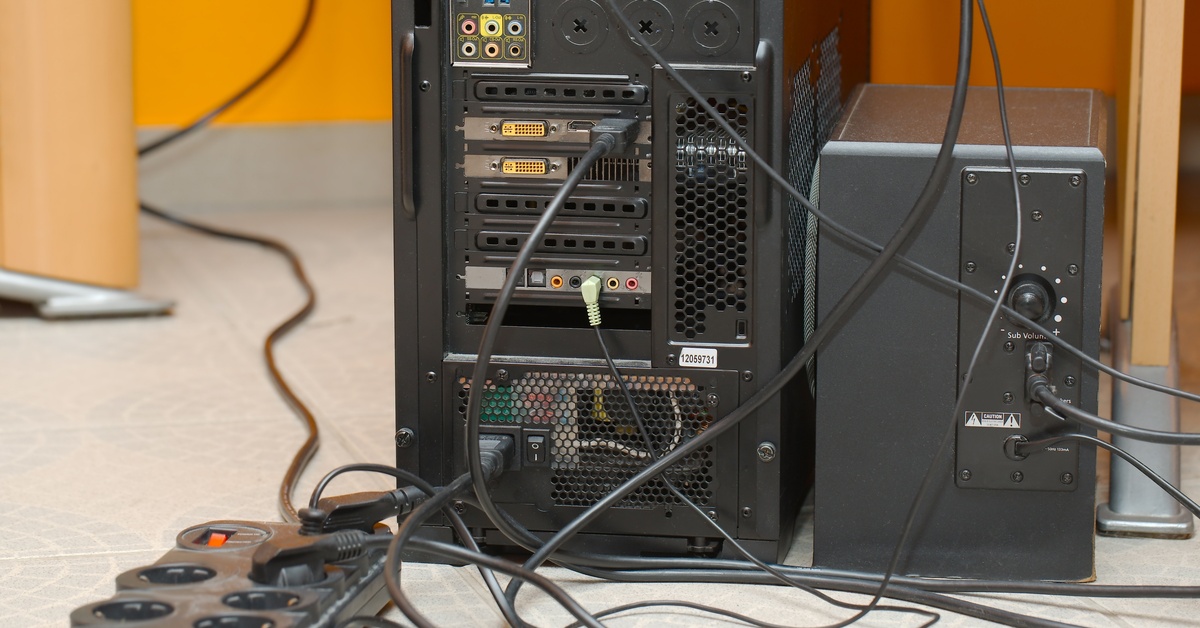
No PC setup is complete without proper cable management. Tangled wires look messy and lead to wear and tear on your cables, shortening their lifespan. Accessories like cable ties, sleeves, and clips allow you to maintain organization while keeping your workspace functional.
Cable sleeves can bundle multiple wires together, while Velcro ties make it easy to add or remove cables as needed. Investing in these accessories extends the lifespan of your cables and makes your workspace easier to clean and more visually appealing.
Keeping Your Setup Functional and Reliable
A well-organized PC setup at home depends on having the right cables readily available. Whether it’s an HDMI cable for crystal-clear video output, an Ethernet cable for a stable connection, or even a reliable power cable, each of these items plays an important role. Incorporating additional options like DisplayPort cables or SATA cables ensures compatibility across a variety of devices while providing flexibility for upgrades.
By assembling a complete collection of essential cables, you set yourself up for a seamless PC experience. Explore, upgrade, and get the most out of your setup with the right tools at your fingertips.