Getting fibre internet installed at your home marks a significant upgrade from traditional cable or DSL connections. The process involves several technical steps that transform your property’s connectivity infrastructure, but understanding what happens during installation can help you prepare and know what to expect.
Fiber optic internet delivers data through light signals transmitted via thin glass or plastic cables, offering speeds up to 1,000 Mbps or higher with incredibly low latency. Unlike copper-based connections, fibre-optic cables maintain consistent speeds regardless of distance from the provider’s equipment, making them the gold standard for modern internet connectivity.
The installation process typically takes two to four hours, though complex setups might require additional time. Your internet service provider (ISP) coordinates the entire process, from initial planning to final testing, ensuring your new connection meets performance standards. Below, we’re outlining what you can expect during a fiber internet installation and why this service is great for your lifestyle.
Pre-Installation Planning and Scheduling
Your ISP schedules the installation after confirming service availability in your area. A technician will contact you 24–48 hours before the appointment to confirm the timing and discuss any special requirements for accessing your property.
The provider conducts a site survey to map the optimal route from their network to your home. This survey identifies potential obstacles like underground utilities, landscaping features, or structural challenges that might affect the installation process.
You’ll need to designate where you want the fiber equipment installed inside your home. Most homeowners choose locations near their main entertainment center or home office, though the final placement depends on where the fiber line enters your property.
Outdoor Fiber Line Installation
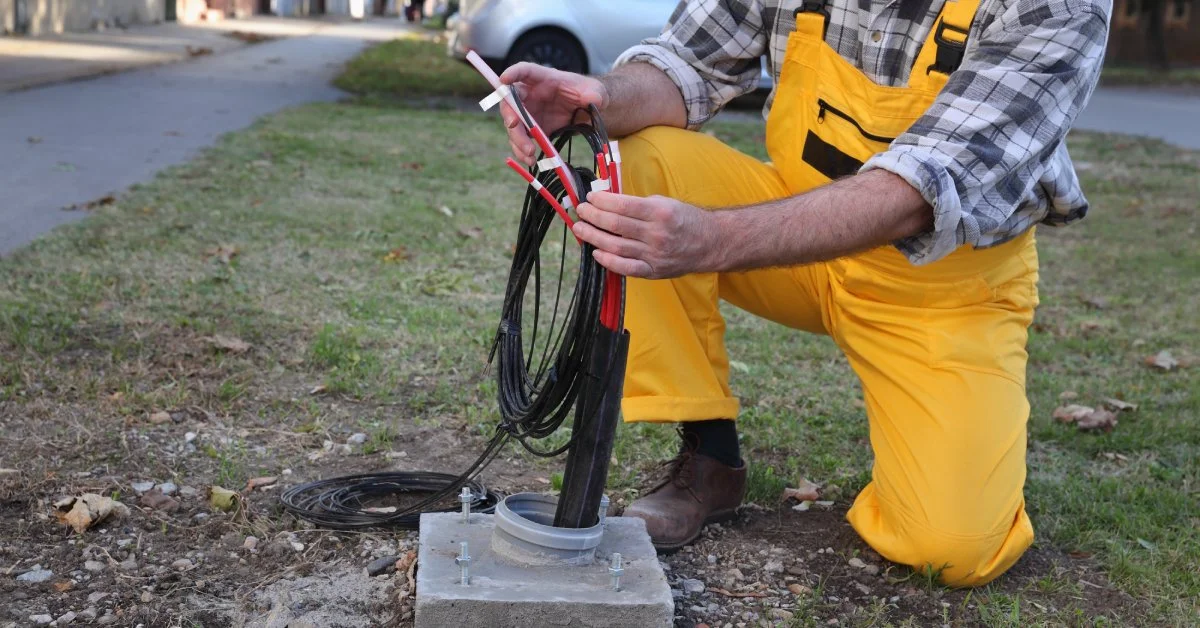
The installation begins with connecting your property to the provider’s fiber network. Technicians locate the nearest fiber distribution point, which might be a utility pole, underground pedestal, or neighbourhood junction box.
For overhead installations, technicians string the fiber cable from the distribution point to your home using existing utility poles. They attach the cable using specialized hardware designed to protect the delicate fiber strands from weather and physical damage.
Underground installations involve either trenching a new path or using existing conduit systems. Technicians use specialized boring equipment to create minimal-impact pathways through your yard, carefully avoiding sprinkler systems, gas lines, and other utilities.
The fiber cable connects to a Network Interface Device (NID) mounted on your home’s exterior. This weatherproof box protects the connection point where the provider’s network meets your home’s internal wiring.
Interior Wiring and Equipment Setup
Once the outdoor connection reaches your home, technicians run fiber cable from the exterior NID to your designated equipment location. This process might involve the following steps:
- Drilling small holes through exterior walls
- Running cable through existing conduits or along baseboards
- Installing wall plates and connectors at entry points
- Securing cables to prevent damage from foot traffic or furniture
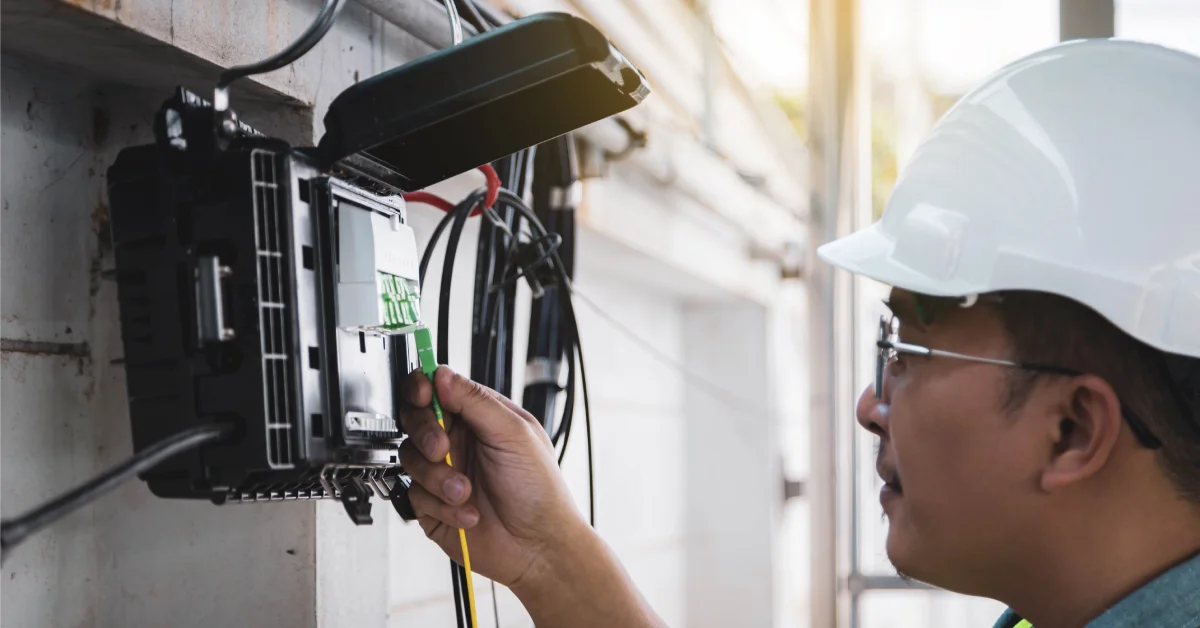
The technician installs an Optical Network Terminal (ONT) inside your home, typically mounted on a wall in your basement, garage, or utility room. This device converts the light signals from the fiber cable into electrical signals your devices can use.
Your new fiber setup includes a backup battery system that maintains internet connectivity during brief power outages. The battery typically provides four to eight hours of backup power, ensuring your connection remains stable during storms or electrical issues.
Equipment Configuration and Testing
The ONT connects to your router via Ethernet cable, though many providers supply their own gateway device that combines routing and wireless functions. Technicians configure these devices with your account settings and security protocols.
During the testing phase, technicians verify signal strength, connection stability, and speed performance. They run diagnostic tests that measure upload and download speeds, latency, and packet loss to make sure your connection meets advertised specifications.
The technician configures your wireless network, setting up network names (SSID) and passwords according to your preferences. They also optimize wireless channel selection to minimize interference from neighboring networks.
Special Considerations and Repairs
Fiber networks require specialized repair techniques when issues arise. Split conduit systems prove ideal for fiber network repairs because they allow technicians to access and replace damaged cable sections without extensive excavation or disruption to your property.
Properties with complex layouts might require additional planning for optimal fiber placement. Homes with concrete foundations, metal siding, or multiple stories often need customized routing solutions that protect the fiber while maintaining signal integrity.
Older homes sometimes require electrical upgrades to support the ONT and associated equipment. The installation team coordinates with electricians when necessary to ensure proper power supply and grounding.
Post-Installation Support and Maintenance
After completing the installation, your technician provides a walkthrough of your new system, explaining how to identify connection issues and perform basic troubleshooting. They demonstrate how to access your router’s admin panel and modify basic settings.
Most providers offer a grace period following installation where they address any performance issues or configuration adjustments at no additional cost. This period typically lasts 30 days and covers problems related to the initial setup.
Your provider schedules periodic maintenance checks to ensure optimal performance. These visits might include cleaning fiber connections, updating firmware, and testing signal quality to prevent degradation over time.
Preparing Your Home for Installation Day
Clear pathways inside and outside your home to give technicians easy access to work areas. Remove vehicles from driveways and ensure pets stay secured during the installation process.
Identify any underground utilities or irrigation systems that might affect trenching operations. Contact your local utility marking service if you’re unsure about buried lines on your property.
Plan for a full day without internet service during the transition. While most installations complete within several hours, complex setups or unexpected complications can extend the timeline.
Making the Most of Your New Connection
You can expect a fiber internet installation to be a substantial upgrade to your home’s technology infrastructure. The process involves careful coordination between outdoor network connections and indoor equipment setup, with technicians handling everything from initial cable routing to final performance testing.
Understanding each phase helps you prepare appropriately and ensures smooth communication with your installation team. Your new fiber connection delivers the speed and reliability needed for modern digital life, supporting everything from remote work to 4K streaming across multiple devices simultaneously.