If your desk feels cluttered and your devices constantly run warm, you’re not imagining it. Modern setups pack a lot into a small space. Laptops, monitors, gaming consoles, routers, and chargers all generate heat while competing for room. That’s why learning how to keep your tech setup cool and organized matters more than ever.
A cleaner setup not only looks better but also functions more smoothly, lasts longer, and is more user-friendly. If your desk and tech setup feel cluttered and disorganized, here are some tips to help clear your mind and create more space.
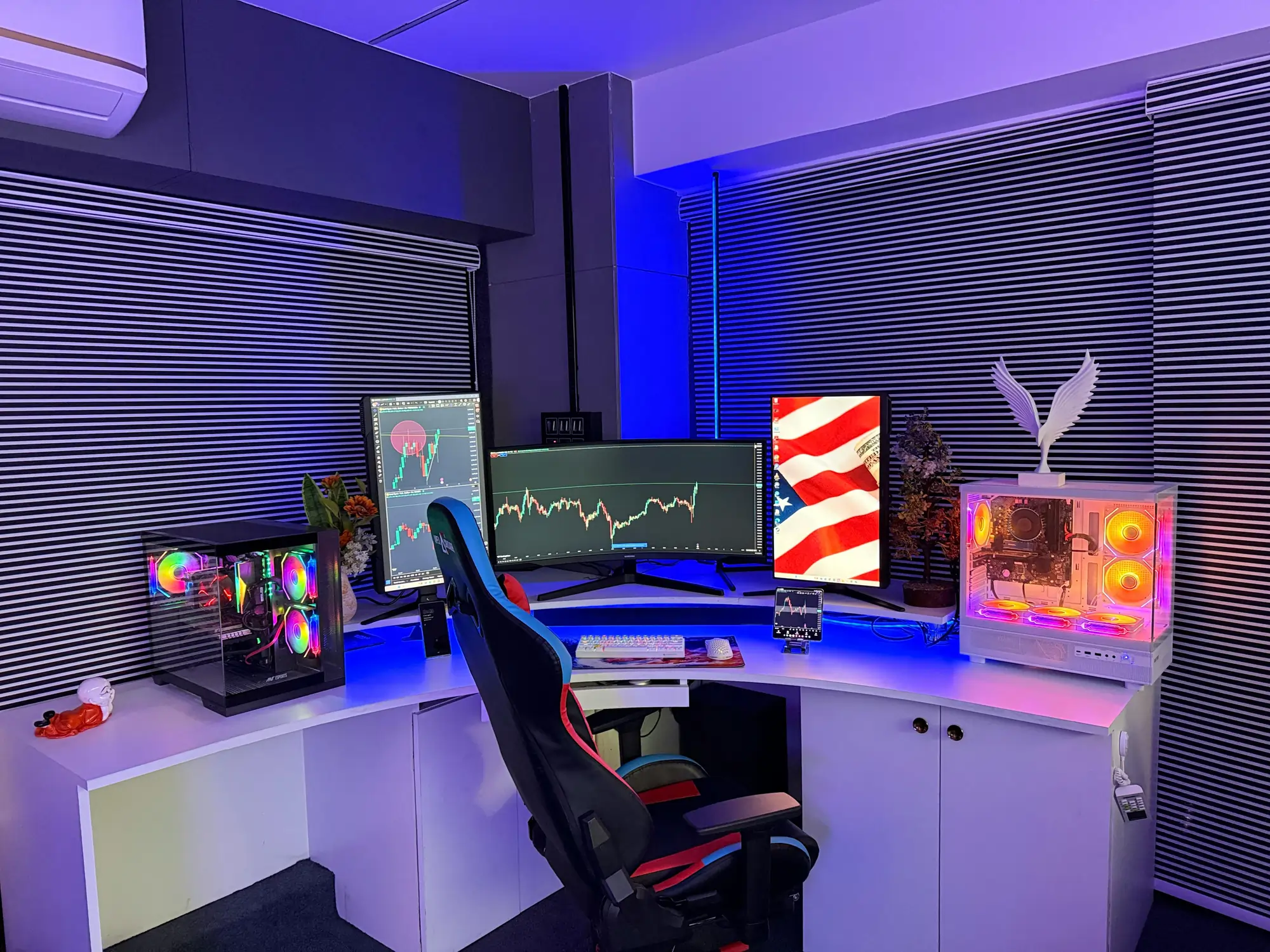
Start With Airflow, Not Looks
Most people organize their setup based on aesthetics first. That’s where problems start.
Every device you use produces heat. When you place devices too close together or against walls, that heat has nowhere to go. It builds up, raising the overall temperature of your setup.
Instead, think about airflow. Leave space between devices. Avoid pushing equipment into corners or enclosed shelves. Even small adjustments, like moving a laptop a few inches away from a wall, can reduce heat buildup.
A good-looking setup should still allow air to move freely.
Elevate Devices That Run Hot
Flat surfaces tend to trap heat, especially for laptops and gaming consoles. When a device rests directly on a desk or table, heat can accumulate underneath, which over time raises internal temperatures and causes fans to spin faster to cool the hardware. Using stands or risers provides an effective solution.
Laptop stands, monitor risers, or even simple pads improve airflow beneath the device. Enhanced airflow not only keeps the equipment cooler but also helps prolong its lifespan and maintain optimal performance.
Raising screens to a more ergonomic height decreases neck and eye strain during long periods of use. This easy and low-cost adjustment significantly improves comfort and extends the lifespan of the device.
Clean Cable Management Improves Cooling
When multiple cables are bundled together, they can block airflow and create small heat pockets behind your setup, which may lead to overheating. Power bricks and adapters tend to generate heat when stacked or placed too close together, increasing the risk of heat buildup.
Take the time to route cables carefully using cable sleeves, clips, or trays to guide them away from vents and sensitive devices. Ensuring power strips are accessible but not overcrowded helps maintain proper airflow.
A well-organized cable layout improves airflow, makes your setup easier to maintain, and lowers the risk of damage.
Dust Is Quietly Raising Your Temps
Dust accumulates faster than most people realize, especially in areas with pets or high foot traffic. It gathers inside fans, vents, and ports, which can significantly decrease the efficiency of your devices’ cooling systems.
Even a thin layer of dust can trap heat, leading to higher operating temperatures and potential overheating. Regular cleaning helps prevent this buildup and maintains optimal performance.
Use compressed air to blow out vents and fans, and wipe down surfaces with a soft cloth often. If you have a desktop PC, open the case every few months to carefully remove dust and debris from inside. This simple habit can extend your device’s lifespan and ensure it runs smoothly over time.
Organize Based on Heat Output
Not all devices produce the same amount of heat.
Gaming PCs, consoles, and routers typically run hotter than accessories like keyboards or external drives. Placing high-heat devices too close together raises the temperature of the entire area.
Spread these devices out when possible. Give them dedicated space instead of stacking or grouping them tightly.
Think of your setup as a system where heat from one device affects everything around it.
Use the Right Structure for Complex Setups
If your setup involves multiple devices, maintaining an organized layout is crucial to ensure efficiency and ease of access. Desktops, network equipment, and storage devices all require proper spacing and structured arrangement.
Using the appropriate server rack enclosure can help manage airflow, prevent overheating, keep components separated, and minimize clutter. Even if you are not utilizing a full rack system, applying the same principles of structured organization can significantly improve cooling performance and make maintenance easier.
Pay Attention to Room Conditions
Your environment greatly influences your setup’s performance. For instance, if your desk is in direct sunlight, your devices will heat up more quickly due to higher ambient temperatures. Additionally, poor ventilation in a room can trap warm air, reducing the efficiency of cooling mechanisms and potentially leading to overheating.
To optimize performance, try to position your setup in a cooler area of your space, away from direct sunlight. Enhancing airflow with fans or improving room ventilation can significantly help.
Even a slight reduction in ambient temperature can improve how well your devices operate, extending their lifespan and helping maintain optimal functionality.
Create Zones to Stay Organized
A cluttered desk often results from a lack of organization. Instead of scattering everything randomly, create designated zones for your setup. Keep work devices in one area, charging stations in another, and accessories in a separate zone.
This makes it easier to maintain organization over time.
Here’s a simple way to structure your space:
- Keep daily-use devices within reach
- Store rarely used accessories off your main desk
- Separate charging cables from active devices
- Leave visible space between major devices
- Group similar items together
Monitor Performance Signals
Your devices often warn you when something isn’t right. Louder fans, slower performance, or noticeable heat during use are all signs that your setup needs adjustment. Ignoring these signals can cause long-term damage.
Pay attention to how your devices perform. If something feels off, check airflow, dust buildup, or placement. Staying aware helps you catch small issues before they become bigger problems.
Small Changes Make a Big Difference
You don’t need to redesign your entire setup to see results.
Start with simple adjustments. Raise your laptop, clean your cables, or move a device away from a wall. Each change improves airflow and organization. Over time, these small improvements add up. Your setup becomes easier to use, runs cooler, and stays cleaner without constant effort.
Once you understand how to keep your tech setup cool and organized, it stops feeling like a task and starts feeling like part of your routine.